


WhisperGF:Always Near You
4.7787.00 Reviews
App Specs
- Version
- 2.2.8
- Updated On
- License
- Free
- Downloads
- 100,000+
- Developer
- BOLTEC PROPERTIES LIMITED
- Categories
- Entertainment
- Platform
- Android
Screenshots
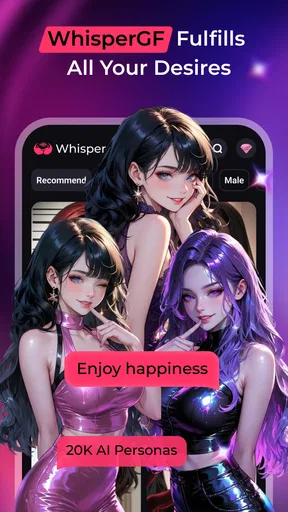

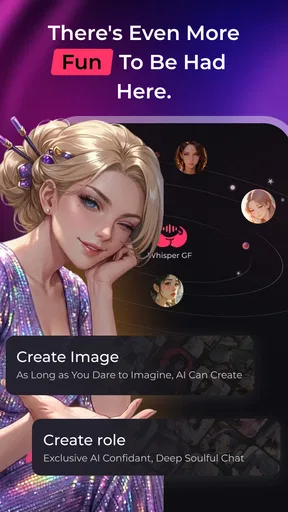
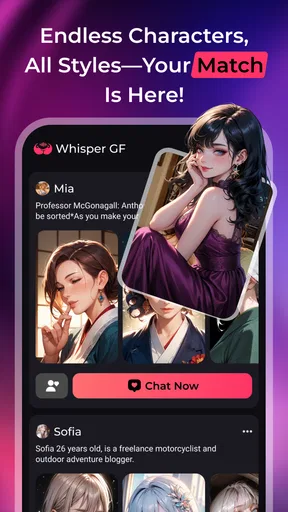

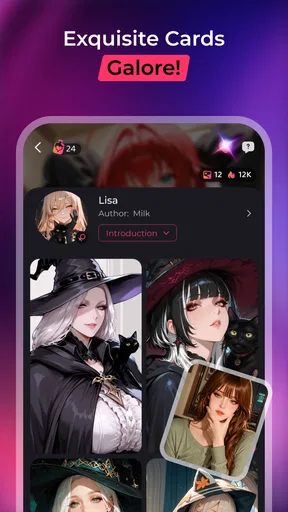
 Analysis by AppCompare
WhisperGF: Always Near You is an entertainment app built around AI conversation, but its appeal is less about constant stimulation and more about having a quiet place to write, pause, and collect your thoughts. I found that distinction important during everyday use. It feels aimed at personal moments rather than group chat, public posting, or fast-moving social feeds. If you want a calm conversational space that responds without requiring another person to be available, it is an interesting option.
The app is published by BOLTEC PROPERTIES LIMITED and is free to install. It is intended for mature users aged 17 and over, and its store presence shows a 4.7 average from around 6,100 ratings, with more than 100,000 installs. Those figures suggest that the concept has found an audience, but they do not tell you whether it will fit your communication style. In my experience, the best reason to try it is the low-pressure format: you can open it, type at your own pace, and leave when you are done.
How the conversation experience feels in daily use
The first thing I noticed is that this is not trying to replace every kind of entertainment app. It is not a video platform, a conventional messaging service, or a productivity tool disguised as a chat window. Its value comes from the interaction itself. A user can bring a thought, a question, a mood, or a small everyday story into the conversation and receive a reply without arranging a call or waiting for a friend to answer.
That makes it particularly suitable for quiet routines. I can imagine using it after work when I want to put an experience into words but do not want to start a serious conversation with someone I know. It can also suit a late-evening journaling habit, a short fictional exchange, or a way to rehearse what I want to say before discussing something important with a real person. The app works best when I treat it as a private conversational aid, not as a substitute for human relationships or professional support.
The name WhisperGF: Always Near You sets an intimate expectation, so the app will naturally appeal more to people who enjoy companion-style interaction than to users looking for broad entertainment choices. That framing may feel comforting to some people and too personal for others. I would decide based on the tone I want from an app, rather than installing it simply because it is free.
Readability and navigation for different users
For me, the chat format is easier to understand than an app packed with menus, feeds, badges, and competing sections. The central activity is obvious: read the current exchange, decide what you want to say, and write a response. That simplicity can help people who become tired or distracted when an interface presents too many choices at once.
It also suits users who prefer text over visual browsing. Someone who finds image-heavy entertainment tiring may appreciate a conversation that does not depend on scanning a busy feed. Likewise, a person who needs extra time to process information can read a reply at their own speed instead of keeping up with a live group discussion. I found that the slower rhythm is one of the app’s more meaningful strengths.
Worth Reading Before You Choose

Flipboard Shows What News Apps Must Do Beyond the Feed

Switching to Android Auto Means Rethinking Your Driving Routine

Google Calendar Makes a Crowded Week Easier to Manage

Ludo King Makes the Most of the Minutes Between Plans

Baby Panda World Brings Quick Play to Modern Phones, but Its Game Library Feels Busy

ESPN’s Live Game View Makes Following Close Games Easier
There is a trade-off, though. A text-centered experience places a lot of weight on reading comfort and typing. If long messages are difficult to process, or if you prefer spoken interaction, the basic appeal becomes less convincing. The app’s calm presentation cannot remove the effort required to read and compose messages. Users should think about that before assuming that a quiet interface automatically means an accessible one.
I also recommend approaching each exchange with a clear purpose. The app is easier to navigate mentally when I decide whether I am looking for light conversation, emotional reflection, or a creative prompt. Without that small bit of direction, a companion-style chat can become vague. A useful personal trick is to begin with one direct sentence, such as “I want to sort out what happened today” or “Give me a gentle distraction for a few minutes.” That usually creates a more manageable session than opening with no idea what I need.
Motor and sensory considerations
Typing can be a comfortable input method for people who prefer not to speak aloud, use headphones, or interact with a voice assistant. It allows a user to compose privately in a shared home, on public transport, or in a workplace break. I see that as a practical advantage for people with different communication preferences, especially when the surrounding environment is not suitable for talking.
At the same time, repeated typing may be a barrier for users with hand pain, limited dexterity, tremors, or fatigue. Short exchanges are more realistic than long reflective sessions if entering text is physically demanding. A useful approach is to keep prompts brief and use the device’s own input tools when they are comfortable, rather than forcing yourself to write elaborate messages inside the app.
For users who are sensitive to noise, the conversational idea may be less demanding than entertainment built around autoplay video, sound effects, or rapid visual changes. A calm text exchange can be used in a quiet setting without adding much sensory activity. However, the experience still depends on the phone’s screen and keyboard, so it is not automatically suitable for every visual or motor need.
People with low vision should judge the reading experience on their own device and with their preferred system settings. Text-based design can be easier than a complicated visual layout, but comfortable reading depends on factors such as text size, contrast, spacing, and how the app responds to system adjustments. I would test a short session before committing to longer conversations, especially if screen reading already causes strain.
Using it across real situations
The strongest everyday scenario is a small gap in the day. Imagine finishing a shift, sitting in a quiet corner, and wanting to explain why the day felt frustrating. You may not want advice from a colleague, and you may not want to burden a friend with a minor complaint. A brief conversation here can help you turn an unclear feeling into a few specific sentences. The benefit is not that the app solves the problem; it is that writing can make the problem easier to see.
Another useful situation is preparation. Before making a difficult phone call, I could use the chat to practice a calm explanation, identify the main point, and remove unnecessary details. This is especially helpful for people who need time to organize thoughts before speaking. I would still verify important decisions with a trusted person or qualified professional, but the rehearsal stage can make the later conversation less intimidating.
The app may also fit users who want companionship without the social pressure of a live community. Public forums require posting for strangers, group chats demand attention at particular moments, and ordinary messaging depends on another person’s schedule. A private AI conversation offers a different rhythm: you can arrive with a thought, pause, and return later when your energy allows.
That flexibility has limits in shared or sensitive environments. I would avoid using an intimate companion app where someone else could easily read the screen, particularly on a shared device or in a workplace. I would also be careful about entering information that could identify another person. Even when a conversation feels personal, it is sensible to keep names, account details, medical specifics, and private family matters out of casual app chats.
What it does better than familiar alternatives
Compared with social entertainment apps, WhisperGF is less demanding because it does not ask me to follow a public stream of content. There is no need to compare myself with other users, keep up with notifications, or decide what to publish. That makes it a better fit for someone who wants interaction without an audience.
Compared with a conventional messaging app, the main advantage is availability. A friend may be busy, asleep, or simply not in the mood to talk. An AI companion is ready for a short exchange whenever I am. The compromise is just as important: it cannot offer a real person’s shared history, responsibility, physical presence, or genuine emotional stake. I would choose ordinary messaging when the situation calls for mutual support, accountability, or a relationship that exists beyond the screen.
Compared with a journaling app, this product adds response and direction. A blank page can be liberating, but it can also be difficult to start. Conversational replies may help someone continue writing when a traditional diary feels too empty. On the other hand, a journal gives me complete control over the record and does not steer the reflection through another voice. Users who want a strictly private archive may prefer a dedicated notes or journaling tool.
Compared with professional mental-health services, this is a casual entertainment app, not a replacement for qualified care. It may help someone express a passing mood or organize thoughts, but serious distress, crisis situations, and ongoing mental-health needs deserve appropriate human support. That boundary is not a minor detail; it should shape how the app is used from the beginning.
Practical trade-offs before installing
The free entry point makes experimentation easy, but the app includes optional purchases ranging from $3.49 to $54.99 per item. I would not begin a long-term habit before checking which parts of the experience require payment and whether the available free use is enough for my needs. A calm companion can become less relaxing if I feel pushed to spend in order to maintain the kind of interaction I want.
The current version is 2.2.8, and it supports Android 7.0 or later. That broad operating-system requirement may make it relevant to people using older Android phones, although a supported version alone does not guarantee that every device will feel equally smooth. On an older phone, I would test typing, screen responsiveness, and the ease of returning to a conversation before relying on it as part of a daily routine.
The mature age rating matters for families. I would not treat the app as suitable for children simply because the interface looks quiet or conversational. Parents and guardians should consider the app’s companion framing and the kind of personal interaction it encourages. It is designed for an adult audience, and that should be respected when deciding who uses it.
One of my more useful habits with this type of app is setting a clear stopping point. A short session can be helpful, while an open-ended conversation may encourage me to keep checking the phone whenever I feel bored or lonely. I prefer to decide in advance whether I am using it for reflection, distraction, or rehearsal, then close it when that purpose is complete. This keeps the tool supportive rather than letting it quietly become my default response to every uncomfortable moment.
Remaining barriers and who should skip it
The biggest barrier is that the app’s central benefit depends on comfort with companion-style AI. Some people enjoy the feeling of a responsive presence; others find it artificial, emotionally confusing, or simply unnecessary. If you want factual research, structured tasks, or a dependable human conversation, a different category of app will serve you better.
Typing and reading remain practical obstacles for some users, even though the interface may feel less crowded than a typical entertainment platform. People who rely mainly on voice input, audio output, switch access, or other assistive methods should test how well their existing device setup works with the app instead of assuming compatibility. The right question is not whether the concept sounds accessible, but whether the complete interaction feels manageable with the tools you personally use.
I would also skip it if I am likely to confuse an AI response with personal commitment or professional guidance. The app can provide a conversational moment, but it cannot take responsibility for my safety, relationships, health, or major decisions. That distinction is particularly important because the intimate presentation may make the exchange feel more emotionally significant than an ordinary utility app.
Finally, users who dislike in-app purchasing should pay attention to their spending boundaries. Free installation is useful for trying the basic experience, but optional items can change how comfortable the long-term arrangement feels. I would use the app only if I can keep those decisions deliberate rather than making purchases impulsively during an emotional conversation.
My inclusive verdict
I see WhisperGF: Always Near You as a focused entertainment app for adults who want quiet, text-based companionship and a low-pressure place to express themselves. Its clearest inclusive strength is flexibility of timing: I can use it when I have a few spare minutes, without asking another person to be available or entering a public social space. That can be valuable for people who need privacy, extra processing time, or a calmer alternative to crowded feeds.
Its inclusiveness is not automatic, though. Reading, typing, screen use, emotional boundaries, and purchasing choices all affect whether the experience is genuinely comfortable. I would test it in the exact context where I plan to use it: with my usual text size, input method, lighting, headphones or silence, and realistic energy level. That short trial will tell me more than the companion concept alone.
My recommendation is therefore specific rather than universal. Try it if you want an adult-oriented AI chat space for reflection, gentle distraction, or conversation practice, and if you are comfortable keeping the relationship with the app clearly in perspective. Choose a journal for private records, a messaging app for mutual human support, or professional help for serious concerns. For the right user, this free app offers a notably quiet way to fill an emotional or conversational gap; for everyone else, its intimate framing and text demands may outweigh the convenience.
Pros
- Offers comforting
- always-available virtual companionship.
- Simple interface makes conversations easy to start.
- Suitable for short chats during lonely moments.
- Personalized interactions can feel engaging over time.
- Works well as casual entertainment between daily tasks.
Cons
- AI responses may sometimes feel repetitive or generic.
- Emotional support is not a substitute for professional help.
- Some features may require in-app purchases or subscriptions.
- Privacy details should be checked before sharing personal information.
- Requires an internet connection for reliable conversations.
FAQs for WhisperGF:Always Near You
What is WhisperGF: Always Near You?
WhisperGF: Always Near You is an AI companion app designed to provide conversational interaction through a virtual girlfriend-style experience. After opening the app, users can chat with the character, exchange messages, and enjoy responses intended to feel personal and supportive. The exact features may vary by version, so it is worth checking the current store description before downloading.
Is WhisperGF: Always Near You free to download and use?
The app may be available to download at no initial cost, but some conversations, personalization tools, premium characters, or extended usage can require in-app purchases or a subscription. Before starting, review the payment information shown in the Google Play Store or App Store. Also check whether a free trial automatically changes into a paid plan when it ends.
Does WhisperGF: Always Near You use artificial intelligence?
Yes, the experience is based on artificial intelligence that generates replies to your messages rather than following only a fixed script. This can make conversations feel more flexible, but responses may occasionally be repetitive, inaccurate, or inconsistent with the character’s personality. It is best treated as entertainment and companionship, not as a replacement for professional advice or real human relationships.
Is my personal information safe when using the app?
Because conversations with an AI companion can include personal or sensitive details, users should read the app’s privacy policy before creating an account or sharing information. Avoid entering passwords, financial data, identification numbers, or private details about other people. Check what data may be collected, how chats are stored, whether information is shared with service providers, and how account deletion works.
Can children use WhisperGF: Always Near You?
Parents should check the app’s age rating, content warnings, and terms of service before allowing a child to use it. AI companion applications can generate romantic, mature, or emotionally intense conversations depending on the prompts and available settings. Use device-level parental controls, review privacy permissions, and discuss safe online behavior. If the app is intended for adults, children should not create accounts or use it.


